
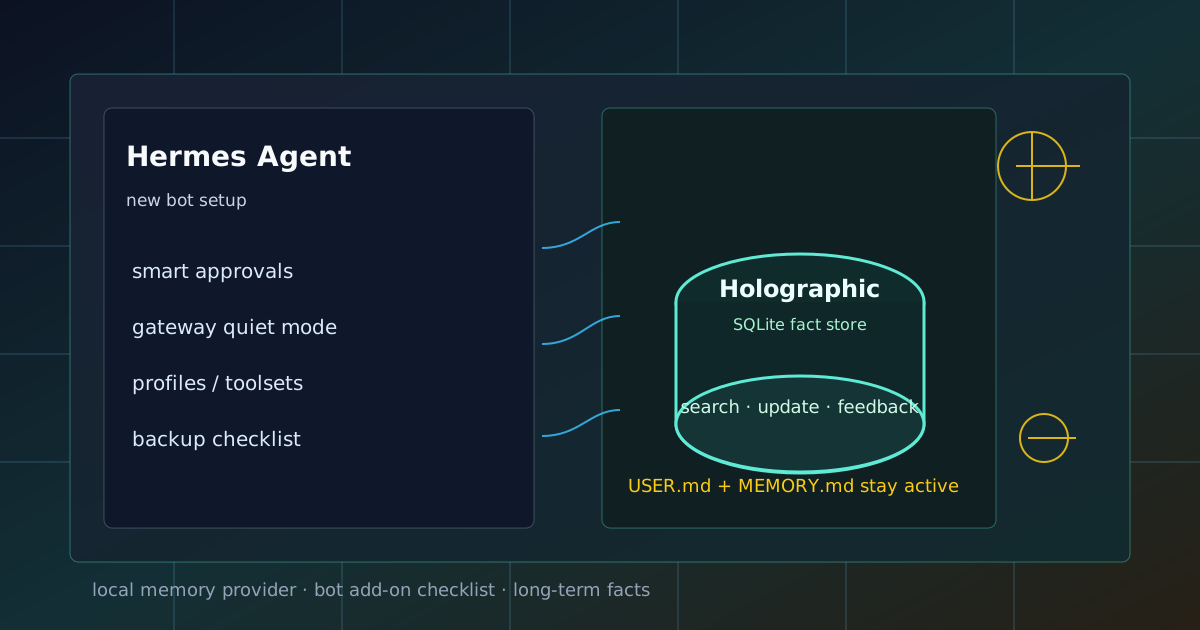
这篇文章只讲一件事:如何把一台新的 Hermes 机器人部署成和生产环境同款的 Holographic 分层记忆系统——本地 SQLite 事实库 + 内建记忆自动轮换,彻底解决「记忆空间满了怎么办」。
💡 这篇文章可以直接交给你的 Hermes 机器人阅读执行。 文中所有命令、配置路径、脚本内容都是完整的可复制块。把文章链接(或全文)发给机器人,让它按「验收」一节逐项检查即可,无需人工逐步指导。
Holographic 是什么
Holographic 是 Hermes Agent 的外部 memory provider 之一。它的定位很明确:给 Hermes 增加一个本地 SQLite 事实库,让机器人可以在内建 USER.md / MEMORY.md 之外,保存、搜索、关联和修正长期事实。
一句话理解:
USER.md / MEMORY.md 负责少量高优先级记忆,
Holographic 负责更多可检索、可维护、可打分的长期事实。
官方 memory provider 文档里把 Holographic 描述成本地 SQLite fact store,支持 FTS5 全文搜索、trust scoring,以及用于组合查询的 HRR 能力。它不需要额外云服务,SQLite 默认可用,NumPy 只是可选增强。
所以它很适合这些场景:
- 第一次给 Hermes 接外部记忆。
- 希望所有记忆先落在本机,不想把个人偏好和服务器信息交给云服务。
- 当前主要是单机器人、单用户、单工作流。
- 想让机器人记住长期稳定事实,但又不想把
MEMORY.md塞爆。 - 需要能搜索、列出、更新、删除事实,而不是只靠系统提示里几行固定记忆。
它不适合解决这些问题:
- 多个机器人共享同一个用户画像。
- 团队级别的跨助手协作记忆。
- 想要云端同步和多设备天然共享。
- 想让所有聊天记录无脑进长期记忆。
如果目标是多助手共享认知,应该看 Honcho 或其它共享记忆方案;如果目标只是先让新机器人具备可靠本地长期事实库,Holographic 是最轻的一步。
它和内建记忆的关系
Hermes 的内建记忆一般分两类:
| 记忆层 | 适合保存什么 | 特点 |
|---|---|---|
USER.md | 用户偏好、长期习惯、语气要求 | 少量、高优先级、开局就注入 |
MEMORY.md | 稳定环境事实、长期项目事实 | 少量、高优先级、适合人工整理 |
| Holographic | 可检索事实、关联信息、历史经验 | 本地 SQLite,可搜索、可更新、可反馈 |
Holographic 不是替代 USER.md / MEMORY.md。接上后,内建记忆仍然照常工作;Holographic 只是额外增加一层外部事实库。官方文档也明确说,同一时刻只能启用一个外部 memory provider,但内建记忆会一直保留。
实践里可以这样分工:
| 内容 | 放哪里 |
|---|---|
| “用户默认希望中文回答” | USER.md |
“Hugo 源码在 /Users/mana/Documents/codex/hugo” | MEMORY.md 或项目 context |
“某台新 Matrix 机器人已经配置过 Holographic,数据库路径是某 profile 下的 memory_store.db” | Holographic |
| “一次报错排查中未经确认的猜测” | 不进长期记忆 |
| “某项部署流程以后会重复执行” | skill,不是 memory |
一个好用的机器人,不是记得越多越好,而是知道什么值得长期记。
启用 Holographic
先切到运行 Hermes 的用户,例如:
sudo su - hermesuser如果是指定 profile,先确认当前 profile 和配置路径:
hermes profile list
hermes config path
hermes config env-path
修改前备份配置:
CFG="$(hermes config path)"
cp "$CFG" "$CFG.bak.$(date +%Y%m%d-%H%M%S)"
交互式启用:
hermes memory setup在 provider 列表里选择:
holographic如果只想直接设置 provider:
hermes config set memory.provider holographic然后查看状态:
hermes memory status正常情况下,状态里应该能看到当前外部 provider 是 holographic。
检查配置是否写对
查看当前配置:
hermes config show至少确认这两块存在:
memory:
  provider: holographic

plugins:
  hermes-memory-store:
Holographic 默认数据库通常是:
$HERMES_HOME/memory_store.db也就是默认 profile 下常见为:
~/.hermes/memory_store.db具名 profile 则可能在:
~/.hermes/profiles/<profile>/memory_store.db不要只猜路径,优先用 hermes config path、hermes profile list 和当前配置确认 profile。多机器人最常见的坑就是:你以为改的是 Matrix 机器人 profile,实际改到了默认 profile。
Holographic 的工具能力
官方列出的 Holographic 工具有两类:
| 工具 | 作用 |
|---|---|
fact_store | 添加、搜索、探测、关联、推理、检测冲突、更新、删除、列出事实 |
fact_feedback | 对记忆结果标记 helpful / unhelpful,用来影响 trust score |
实际使用时,不需要手动背工具参数。更稳妥的是直接对机器人说清楚目标:
把“这个 Matrix 机器人日常使用 smart 审批,群聊默认需要 mention”保存为长期事实。或者:
查一下你关于这个 Hermes Matrix 机器人的长期记忆,列出和 memory provider、审批、Matrix 入口限制有关的事实。再或者:
如果你发现关于这台机器人的 Holographic 记忆里有过期 facts,请先列出来,不要直接删除,等我确认。对自己长期用的机器人,我建议给它一条常驻规则:
写入长期记忆前,先说明准备保存的事实;只保存长期偏好、稳定环境事实和可复用工作习惯,不保存一次性错误、未经确认的猜测、token、密码或临时任务状态。要不要打开 auto_extract
Holographic 配置里有一个常见字段:
plugins:
  hermes-memory-store:
    auto_extract: false
默认 false 更保守。它的意思是不要在会话结束时自动抽取事实。对于刚装的新机器人,我建议先保持 false,等你确认它能分清长期事实和临时状态后,再考虑打开。
如果要打开,也要配合严格规则:
plugins:
  hermes-memory-store:
    auto_extract: true
    default_trust: 0.5
打开后观察一段时间:
列出最近写入的 Holographic facts,按主题分组,并标出你认为可能过期或不应长期保存的内容。如果发现它把排障过程中的临时猜测、一次性路径、短期 bug 状态都塞进去了,就关回去。长期记忆一旦变脏,机器人会越来越自信地沿着旧事实跑偏。
一套验收流程
接完 Holographic 后,不要只看命令是否成功。建议做一轮真实验收。
第一步,确认 provider:
hermes memory status第二步,确认配置:
hermes config show | sed -n '/^memory:/,/^[^ ]/p'
hermes config show | sed -n '/^plugins:/,/^[^ ]/p'
第三步,确认数据库文件:
find ~/.hermes -name 'memory_store.db' -print第四步,做一条可验证记忆:
请把这条保存到 Holographic 长期事实:我的新机器人装完后,默认先做 smart 审批、入口限制、Holographic 本地记忆和备份检查。第五步,新开会话后让它查询:
查一下你的 Holographic 长期事实:新机器人装完后,我默认先做哪些优化?如果它能从 Holographic 找回这条事实,并且没有把一堆无关聊天内容混进去,就算基础闭环通过。
常见坑
1. 改错 profile
多机器人场景下,先永远问三件事:
hermes profile list
hermes config path
hermes config env-path
如果 Matrix gateway 是 matrix profile,Telegram gateway 是 telegram profile,默认 profile 里启用 Holographic 不会自动影响它们。
2. 把 Holographic 当成共享大脑
Holographic 是本地事实库,更适合单 profile 本地长期记忆。多个机器人要共享用户画像、peer 身份和跨会话关系时,应该另看 Honcho 这类方案。
3. 什么都记
不要让机器人保存:
- token、password、API key、cookie、SSH 私钥;
- 未确认的猜测;
- 一次性报错;
- 今天临时改过、明天可能恢复的配置;
- 纯聊天情绪和短期判断。
可以让它保存:
- 用户长期偏好;
- 常用服务器、仓库、服务名;
- 机器人 profile 分工;
- 稳定审批策略;
- 可复用工作习惯;
- 已验证的排障结论。
4. 不做 memory review
每隔一段时间做一次清理:
请列出 Holographic 里和 Hermes、Matrix、服务器运维有关的长期 facts,标出重复、过期、可能错误和建议合并的项。先不要修改,等我确认。确认后再让它更新或删除。记忆维护像整理配置文件,不能完全放任自动增长。
分层记忆策略:生产环境同款部署
我们当前的生产环境采用 holographic + 分层存储 + 全自动轮换 方案,彻底解决了"记忆空间满了怎么办"的问题。
三层记忆架构
| 层级 | 存储 | 容量 | 用途 | 维护方式 |
|---|---|---|---|---|
| 短期 | MEMORY.md / USER.md | 5,000 / 3,000 字符 | 最高频偏好、当前活跃项目 | 自动轮换 |
| 长期 | fact_store (holographic) | 无限(SQLite) | 结构化事实、历史配置、实体关系 | 永久保存 |
| 知识库 | ~/wiki/ | 无限 | 文档、照片、完整配置备份 | Git 同步 |
核心原则:MEMORY.md 只放"每次对话都必须知道"的极简索引,详细事实全部进 fact_store。
为什么不用纯 holographic
holographic 本身容量无限,但 always-on 注入的 memory 工具默认只有 2,200 字符上限(可配置到 5,000)。如果什么都往 memory 里塞,迟早爆满。
解决方案:分层 + 自动轮换。
全自动轮换机制
部署脚本到 ~/.hermes/scripts/memory_rotate.py(多 profile 环境每个 profile 单独放一份并调整路径),完整内容如下,可直接复制使用:
#!/usr/bin/env python3
"""
Memory auto-rotation script for Hermes Agent.
Automatically archives old entries to fact_store when memory exceeds threshold.
No user confirmation needed — fully automatic.

Usage: python3 memory_rotate.py [--threshold 0.85] [--dry-run]
"""

import json
import re
import sqlite3
import sys
from datetime import datetime
from pathlib import Path

# Paths — 多 profile 环境改成对应 profile 的路径
HERMES_HOME = Path.home() / ".hermes"
MEMORY_MD = HERMES_HOME / "memories" / "MEMORY.md"
USER_MD = HERMES_HOME / "memories" / "USER.md"
FACT_DB = HERMES_HOME / "memory_store.db"

# Limits (from hermes config,可用 hermes config show 查看实际值)
MEMORY_LIMIT = 5000
USER_LIMIT = 3000

def get_memory_entries():
    """Read current memory entries from MEMORY.md (§-separated)."""
    entries = []
    if MEMORY_MD.exists():
        with open(MEMORY_MD) as f:
            for raw in f.read().split("§"):
                raw = raw.strip()
                if raw:
                    entries.append(raw)
    return entries

def get_user_entries():
    """Read current user profile entries from USER.md."""
    entries = []
    if USER_MD.exists():
        with open(USER_MD) as f:
            for raw in f.read().split("§"):
                raw = raw.strip()
                if raw:
                    entries.append(raw)
    return entries

def write_memory_entries(entries):
    content = "\n§\n".join(entries)
    if content:
        content += "\n"
    MEMORY_MD.write_text(content, encoding="utf-8")

def write_user_entries(entries):
    content = "\n§\n".join(entries)
    if content:
        content += "\n"
    USER_MD.write_text(content, encoding="utf-8")

def add_to_fact_store(content, category="general", tags=""):
    """Add entry to holographic fact_store (SQLite)."""
    conn = sqlite3.connect(FACT_DB)
    cursor = conn.cursor()
    cursor.execute("""
        CREATE TABLE IF NOT EXISTS facts (
            id INTEGER PRIMARY KEY AUTOINCREMENT,
            content TEXT NOT NULL,
            category TEXT DEFAULT 'general',
            tags TEXT DEFAULT '',
            trust_score REAL DEFAULT 0.5,
            created_at TIMESTAMP DEFAULT CURRENT_TIMESTAMP,
            updated_at TIMESTAMP DEFAULT CURRENT_TIMESTAMP
        )
    """)
    # 去重
    cursor.execute("SELECT id FROM facts WHERE content = ?", (content,))
    if cursor.fetchone():
        conn.close()
        return False
    cursor.execute("""
        INSERT INTO facts (content, category, tags, trust_score)
        VALUES (?, ?, ?, ?)
    """, (content, category, tags, 0.5))
    conn.commit()
    conn.close()
    return True

def calculate_usage():
    memory_size = MEMORY_MD.stat().st_size if MEMORY_MD.exists() else 0
    user_size = USER_MD.stat().st_size if USER_MD.exists() else 0
    return {
        "memory": {"size": memory_size, "limit": MEMORY_LIMIT, "usage": memory_size / MEMORY_LIMIT},
        "user":   {"size": user_size,   "limit": USER_LIMIT,   "usage": user_size / USER_LIMIT}
    }

def score_entry_for_archival(entry):
    """Higher score = more likely to be archived."""
    score = 0
    # 长度:长 = 详细配置,适合归档;短 = 高价值指针,保留
    if len(entry) > 200:
        score += 3
    elif len(entry) > 100:
        score += 2
    elif len(entry) < 50:
        score -= 2
    # 过期关键词
    stale_keywords = [
        "已删除", "不再维护", "旧版", "deprecated", "backup", "迁移",
        "2024", "2025", "旧", "previous", "archived", "历史"
    ]
    for kw in stale_keywords:
        if kw in entry:
            score += 5
            break
    # 具体路径
    if "/home/" in entry or "~/" in entry:
        score += 1
    # IP 地址
    if re.search(r'\d+\.\d+\.\d+\.\d+', entry):
        score += 2
    # 版本号
    if re.search(r'v?\d+\.\d+', entry):
        score += 1
    return score

def auto_rotate(entries, limit, entry_type="memory", dry_run=False):
    """Archive entries to fact_store until usage drops below 70%."""
    current_size = sum(len(e) for e in entries) + len(entries) * 2
    target_size = limit * 0.70
    if current_size <= target_size:
        return entries, []

    scored = [(e, score_entry_for_archival(e)) for e in entries]
    scored.sort(key=lambda x: x[1], reverse=True)  # 高分先归档

    archived, remaining = [], []
    new_size = current_size
    for entry, score in scored:
        if new_size <= target_size:
            remaining.append(entry)
            continue
        if not dry_run:
            category = "user_pref" if entry_type == "user" else "archived"
            add_to_fact_store(entry, category=category, tags="auto-rotated")
        archived.append(entry)
        new_size -= len(entry) + 2

    return remaining, archived

def main():
    dry_run = "--dry-run" in sys.argv
    threshold = 0.85
    for i, arg in enumerate(sys.argv):
        if arg == "--threshold" and i + 1 < len(sys.argv):
            threshold = float(sys.argv[i + 1])

    timestamp = datetime.now().strftime("%Y-%m-%d %H:%M:%S")
    print(f"[{timestamp}] Memory Auto-Rotation")
    print("=" * 50)

    usage = calculate_usage()
    print(f"MEMORY.md: {usage['memory']['size']} / {usage['memory']['limit']} chars ({usage['memory']['usage']:.1%})")
    print(f"USER.md:   {usage['user']['size']} / {usage['user']['limit']} chars ({usage['user']['usage']:.1%})")
    print()

    total_archived = 0
    for name, get_fn, write_fn, limit, etype in [
        ("MEMORY.md", get_memory_entries, write_memory_entries, MEMORY_LIMIT, "memory"),
        ("USER.md",   get_user_entries,   write_user_entries,   USER_LIMIT,   "user"),
    ]:
        u = usage["memory" if etype == "memory" else "user"]
        if u["usage"] >= threshold:
            entries = get_fn()
            remaining, archived = auto_rotate(entries, limit, etype, dry_run)
            if archived:
                print(f"{name}: Archiving {len(archived)} entries")
                for e in archived:
                    print(f"  - {e[:60]}...")
                if not dry_run:
                    write_fn(remaining)
                    print(f"  ✅ Wrote {len(remaining)} remaining entries")
                total_archived += len(archived)
            else:
                print(f"{name}: No suitable entries to archive")
        else:
            print(f"{name}: ✅ Below threshold")
        print()

    print("=" * 50)
    if total_archived > 0:
        print(f"✅ Auto-rotation complete: {total_archived} entries archived to fact_store")
        if dry_run:
            print("   (dry run — no actual changes made)")
    else:
        print("✅ No rotation needed")

if __name__ == "__main__":
main()运行机制:
- 每周日 9:00 自动执行(cron 任务,无人值守)
- 检测阈值:MEMORY.md 或 USER.md 超过 85% 容量时触发
- 自动归档:按打分规则,低价值条目自动迁移到
fact_store - 目标容量:清理到 70% 以下
- 结果推送:Telegram 通知清理报告(无需操作)
Cron 配置(hermes cron 或系统 crontab):
# 每周日 9:00 执行,全 profile 可用 HERMES_HOME 环境变量切换
0 9 * * 0 /usr/bin/python3 ~/.hermes/scripts/memory_rotate.py >> ~/.hermes/logs/memory_rotate.log 2>&1手动测试(先 dry-run 看会动哪些条目,不写库):
python3 ~/.hermes/scripts/memory_rotate.py --dry-run打分规则汇总:
| 特征 | 分数 | 处理 |
|---|---|---|
| 含「已删除/不再维护/旧版/deprecated/backup/迁移/历史」 | +5 | 优先归档 |
| 长度 >200 字符 | +3 | 详细配置,适合存档 |
| 长度 100–200 字符 | +2 | 中等详情 |
| 含 IP 地址 | +2 | 具体配置 |
| 含版本号 | +1 | 可能过时 |
| 含具体路径 | +1 | 环境配置 |
| 长度 <50 字符 | −2 | 高价值指针,保留 |
注意事项:
- 条目分隔符是
§(Hermes 内建 memory 的标准格式),脚本依赖这个分隔符解析 - 写回文件时条目顺序会变化(按归档分数重排),不影响功能
- 多 profile 部署时,把脚本里的
HERMES_HOME改成~/.hermes/profiles/<profile>,或在 cron 里分别跑 - 如果
memory_store.db不存在会自动建表,但建议先hermes memory setup启用 holographic 再跑
记忆上限调整
Hermes 默认两个上限都偏小,我们实际调整为:
# 修改前默认值
hermes config set memory.memory_char_limit 2200   # 默认
hermes config set memory.user_char_limit 1375     # 默认

# 修改后当前值
hermes config set memory.memory_char_limit 5000   # 当前
hermes config set memory.user_char_limit 3000 # 当前配置写入路径:~/.hermes/config.yaml 的 memory: 段。
注意:上限只是缓冲,分层策略才是根本。即使 5,000 也会满,关键是自动轮换。
事实写入规范
优先写 fact_store(无容量限制):
fact_store add --content "..." --category user_pref --tags hugo,workflowmemory 只保留:
- 当前最高频偏好(如"用户偏好简洁回复")
- 活跃项目关键路径(如"Hugo 源码在 ~/codex/hugo")
- 每周轮换后剩余的核心条目
新机器人初始化检查清单(更新版)
装完 Hermes 后,按此顺序验收:
- 模型连通性 →
hermes doctor - Gateway 在线 → Telegram/Matrix 消息收发正常
- Smart 审批 →
hermes config set approvals.mode smart - 入口限制 → allowed users / rooms,群聊默认 require mention
- 安静输出 → 关闭工具过程噪声
- 备份范围 → config、env、sessions、memory、skills、cron、gateway state
- Holographic →
hermes config set memory.provider holographic - 分层记忆 → 部署
memory_rotate.py+ cron 自动轮换 - Profiles / Toolsets → 按需分离
- Skills → 沉淀重复流程
- Cron → 定时任务
- 可选:MCP / Honcho / 云端记忆
常见坑(更新版)
1. 记忆爆满 → 已解决
旧问题:2,200 字符上限,手动清理麻烦。
新方案:分层存储 + 全自动轮换,无需人工干预。
2. 改错 profile
多机器人场景下,先确认:
hermes profile list
hermes config path
3. 把 Holographic 当共享大脑
Holographic 是本地单 profile 事实库。多机器人共享用户画像需要 Honcho 或云端方案。
4. 什么都记
不保存:token、密码、API key、未确认猜测、一次性报错、临时状态。
保存:长期偏好、稳定环境事实、已验证结论、可复用工作习惯。
5. 不做 memory review → 已自动化
旧方式:定期手动检查。
新方式:每周日 9:00 自动轮换,结果推送 Telegram。